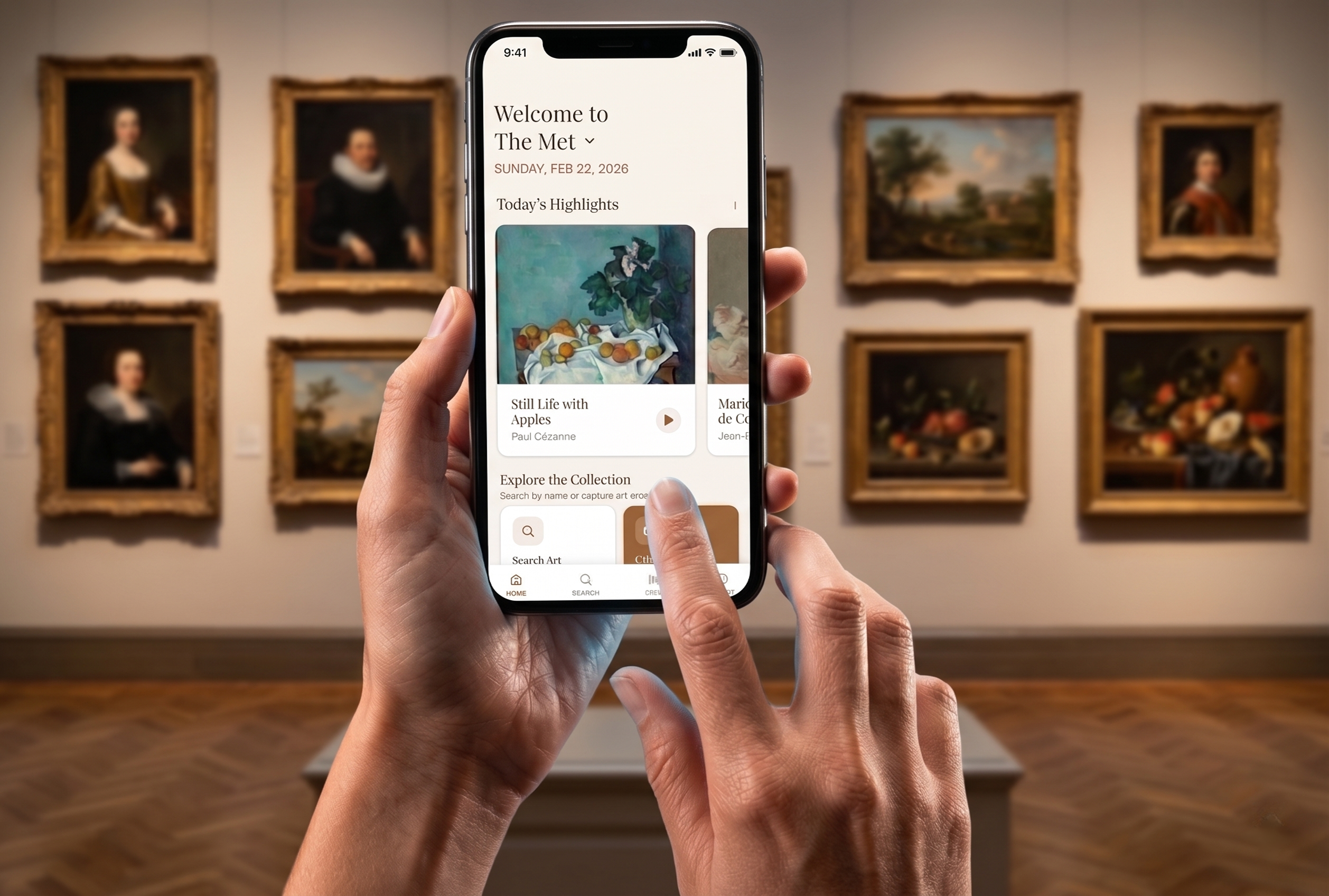
Turning Passive Gallery-Goers into Active Explorers
ArtSense moves museum visitors beyond passive observation toward active engagement, filling the gap where wall labels and audio guides fail to foster curiosity or lasting retention.
Objectives
Enhance Engagement: AI-powered chat and gamified learning.
Based on visitor behavior: interpretive tools shaped by what visitors actually do.
Reduce Cognitive Fatigue: dynamic and snackable AI-assisted content.
Where Museums Fall Short for Today's Visitors
Information Depth Gaps
Visitors turn to Google when labels or audio guides don't answer their questions.
Solution: AI curator pulls directly from the museum's archives.
Glance-Based Pacing
Audio guides are too slow. Visitors have existing behaviors of absorbing information quickly across museums.
Solution: Camera capture lets visitors save works and learn at their own pace.
Barriers to Meaning-Making
Visitors struggle to synthesize dense and vast content.
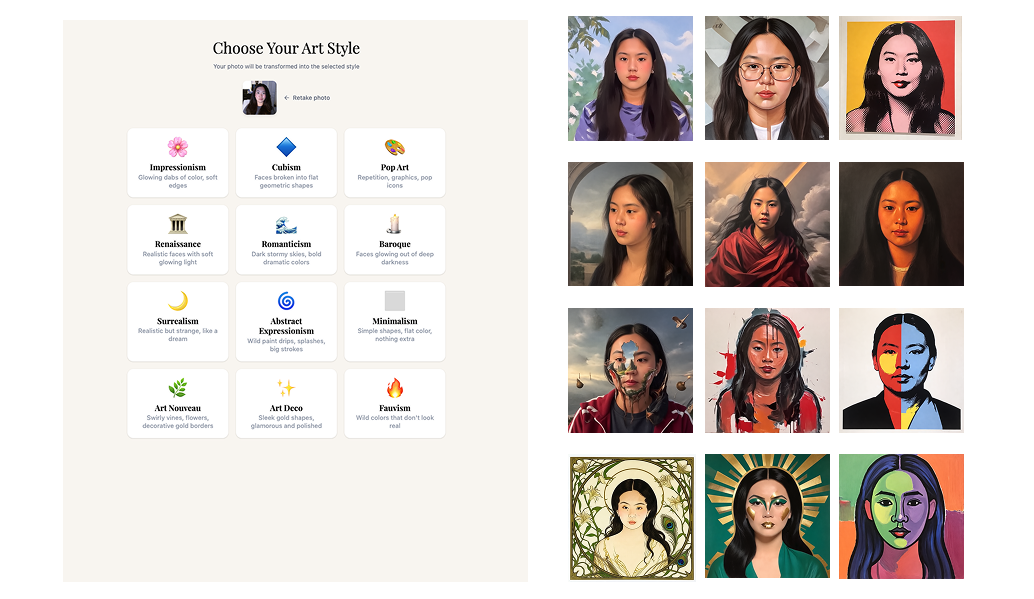
Solution: A gamified kiosk in resting areas scaffolds reflection through quizzes and AI-generated portraits.
How Might We Statement
How might we move museum visitors beyond passive observation toward active engagement, bridging the gap between in-the-moment discovery and long-term cognitive retention?
Mapping How People Actually Experience Museums
Three research pillars: visitor journey mapping, competitive analysis of NYC museum apps (The Met, MoMA, Guggenheim), and an expert interview with a creative technologist at The Met.
Investigate and analyze the visitor journey throughout the museum.
Conduct a competitive analysis of digital apps used in New York museums (The Met, MoMA, the Guggenheim).
Interview a creative technologist at The Met on AI's role in museum experiences.
Key Observation Signals
Glance-based behavior: Visitors primarily scan for visual "hooks" before committing to deep dives.
The "reflection" zone: Learning doesn't only happen in front of the art. It happens in cafés and resting areas after the visit.
AI usage: Curators are wary about AI, but understand that visitors are already using ChatGPT and Google to learn more about artworks.
Redesigning Museum Interpretive Tools for Visitor’s Behaviors
Insight 1
High cognitive load in galleries prevents deep synthesis and art appreciation. Visitors usually process their experience after large exhibitions and in cafés.
Hours of dense wall labels and rapid context-switching between artworks leave visitors with fragmented impressions rather than synthesized understanding. The most receptive moments for reflection happen after the gallery, in transitional zones like resting areas, cafés, and exits.
Recommendation 1
Place the ArtSense Kiosk in resting areas as a bridge: gamified quizzes and AI portraits help visitors synthesize what they've seen.
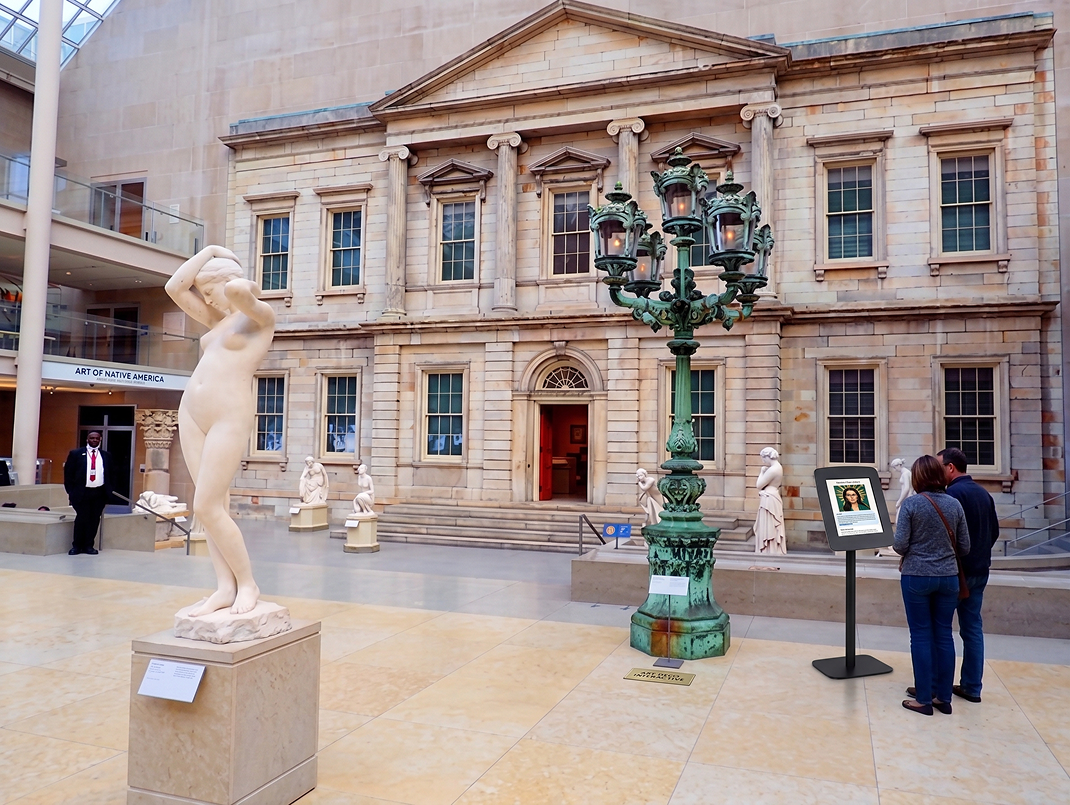
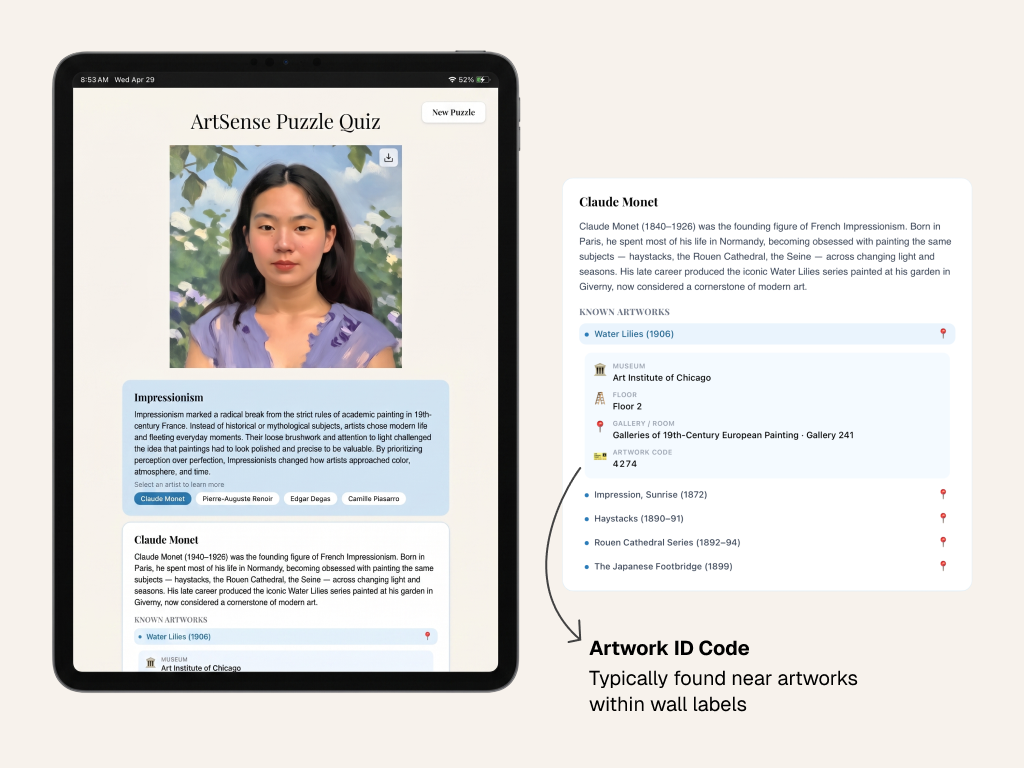
The opportunity to learn and reflect on past artworks through a puzzle allows visitors to evaluate and analyze details of the art movements presented. Through the visitor's portrait, they can reflect on their museum experience, using the rendered image as a scaffold for learning through the puzzle.
Insight 2
Visitors drop off when ID codes fail or content exceeds 180 seconds.
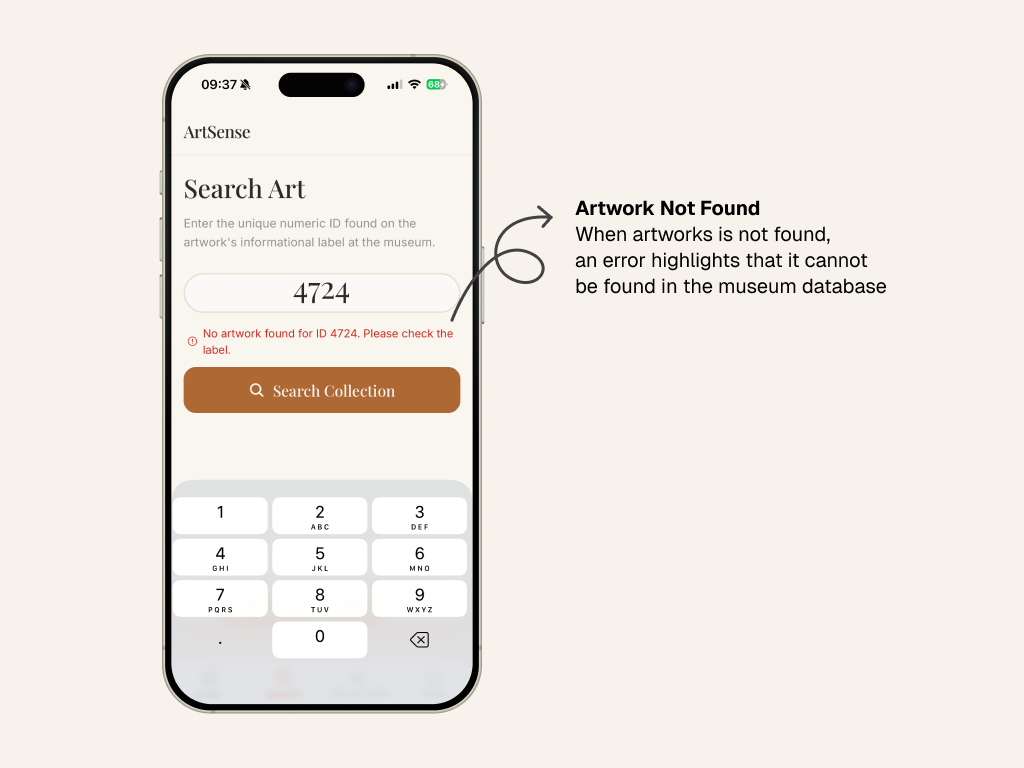
Standard museum apps rely on numeric ID codes pulled from wall labels, which break the glance-based pacing visitors prefer. And audio guides that run longer than three minutes are almost universally skipped.
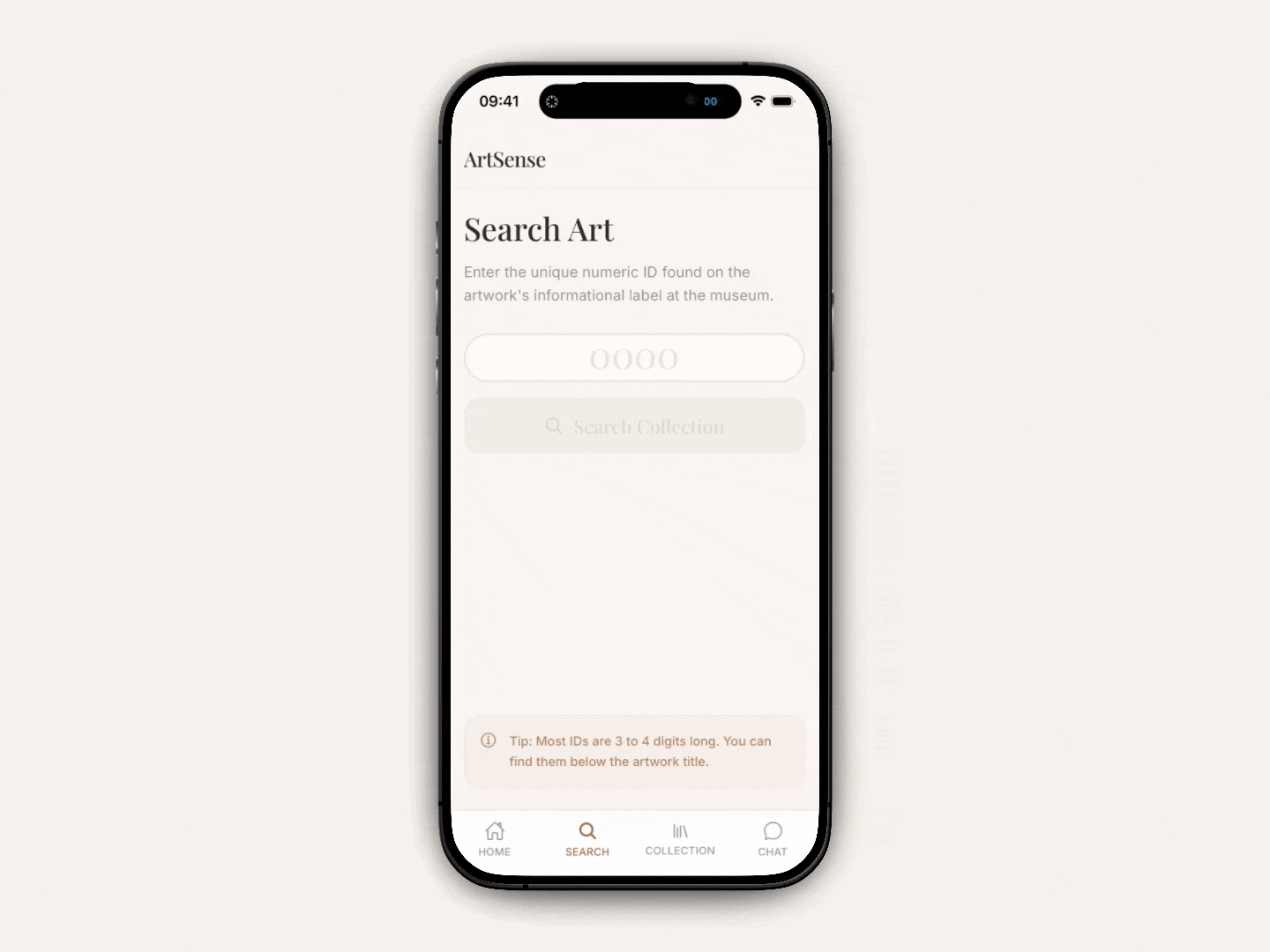
Visitors already use their phones to archive artworks, they just don't want to type a four-digit code.
Recommendation 2
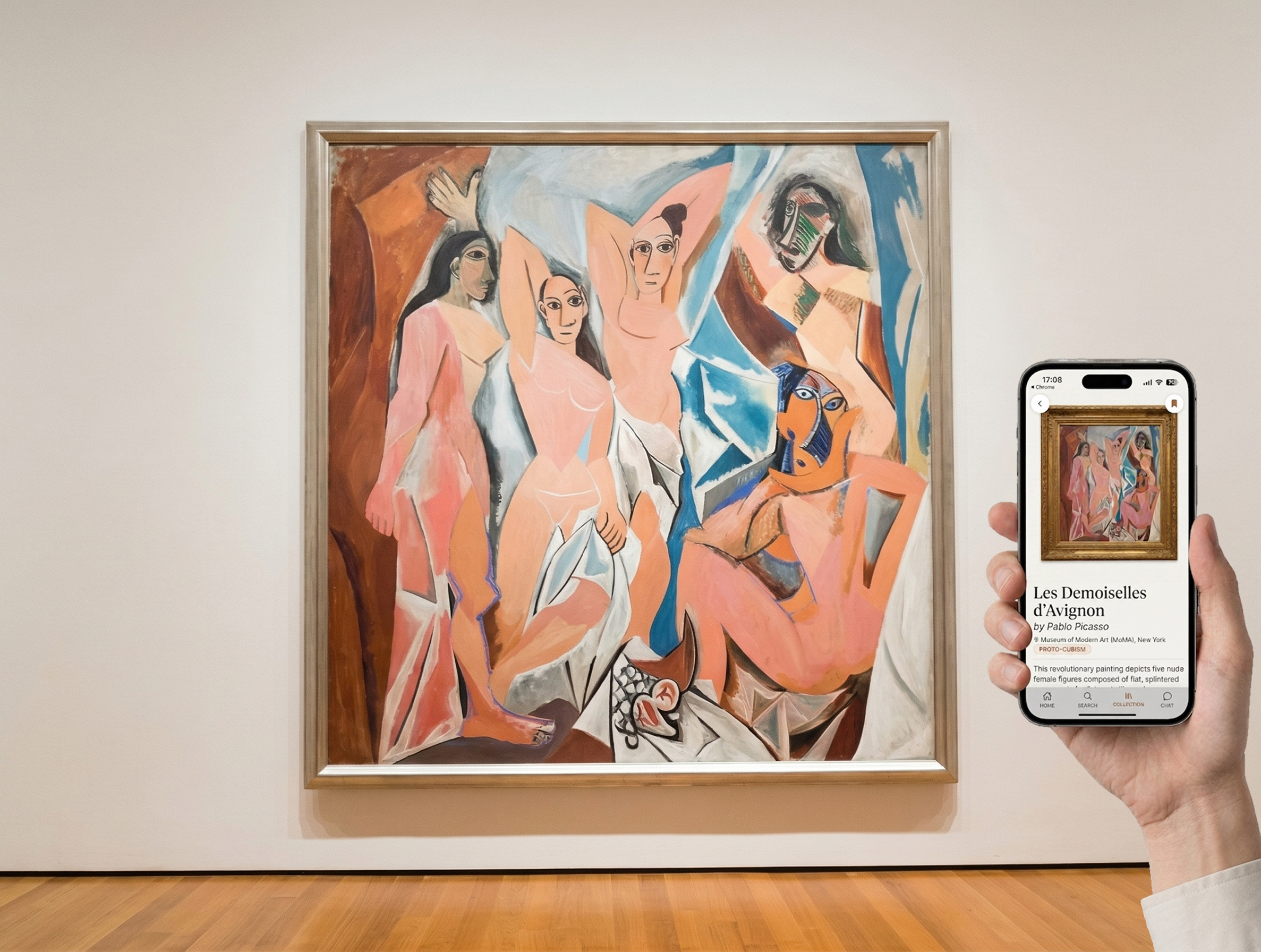
Camera capture + snackable 90–180s artwork stories remove ID friction and match natural pacing.
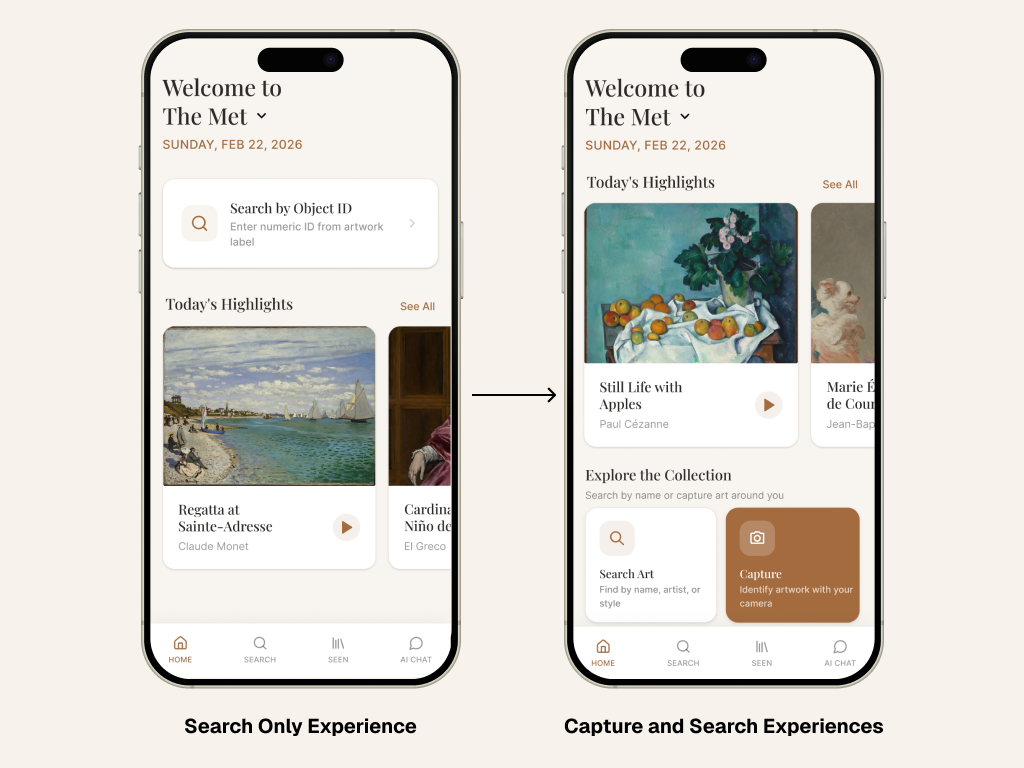
Capture-and-collect mirrors how visitors already use photos to remember works they want to revisit. Tapping a saved piece opens a short, structured artwork story: short enough to fit a visitor's natural pace, long enough to deepen their understanding.
Insight 3
Curators fear the "AI" label; institutional authority is their most valuable asset.
Curators don't trust information from ChatGPT or Google search.
Recommendation 3
Position AI as a window into the museum's own archives, not a generic LLM, to preserve authoritative voice.
AI-powered descriptions and chat responses are gathered directly from the museum's archives and collections. This preserves the museum's authoritative voice while still giving visitors the conversational, on-demand interpretation they were already seeking elsewhere.
Built for Curiosity, Validated by Users
Usability testing with 4 participants across varying museum experience levels.
What worked
- Gamified puzzles made art history approachable and engaging.
- Capture & Collect was valued over losing photos in a camera roll.
- Clean, minimalist UI with short art descriptions landed well.
- Strong interest in sharing portraits and collections socially.
I love that I can revisit a painting I only glanced at. It's like the museum followed me home.
Areas for improvement
01
AI latency
slow image generation was mistaken for bugs.
02
Cross-platform clarity
users didn't realize kiosk IDs worked in the mobile app.
03
Kiosk hierarchy
visual layout made artist/artwork info hard to navigate.
Designing With Purpose, Learning as I Went
Reduce cognitive load, don't add to it
Capture-and-collect resonated most because it lets visitors learn on their own terms, without anchoring them to a single artwork.
Pick the right model for the moment
Claude for descriptions and artwork identification, Nano Banana for image cleanup, Runway ML for style portraits. Each tool had a specific job.